Friday, 23 May 2014

What are FACEBOOK OPEN GRAPH TAGS ?

FACEBOOK OPEN GRAPH TAGS


What are facebook graph tags and how to use them

Facebook open graph tags control the display of your content on any facebook user’s timeline. You can specify what title and what description must be displayed on facebook when you post a link from your website at your timeline. If you are not using open graph tags, then facebook displays the default metadata for your links. Let’s check some of the most important facebook graph tags:

1. og:title – This tag specifies the title of your content to be displayed on facebook. You can use a maximum of 95 characters with this meta tag description.
e.g. <meta property=”og:title” content=”way2allthings.com :: A blog for all types of computer related tips and tricks and various downloads” />

2. og:type – This tag defines the type of the content you are sharing. It may be a blog, website or an article.
e.g.  <meta property=”og:type” content=”blog” />

3. og:image – You can specify the thumbnail of the content to be displayed on the facebook with your posted url. Make sure that you use a square image to make the thumbnail look correctly.
e.g. <meta property=”og:image” content=”http://www.somewebsite.com/someimage.jpg” />

4. og:url – This tag can be used to display a url with the thumbnail image and description of the link shared.
e.g. <meta property=”og:url” content=”http://www.way2allthings.com” />

5. og:description – This tag can be used to display a custom description with the link you shared on facebook.
e.g. <meta property=”og:description” content=”This post is about facebook graph tags which are important for SEO if you drive traffic to your blog using facebook promotions.” />


I hope this article will help you to make your blog more SEO friendly. You can add facebook open graph tagsanywhere between <head>…</head> tags. If you want to add them in your blogger posts, then while editing your post, switch to HTML editor more and add facebook open graph tags to make your each blog post more optimized.


My site : www.way2allthings.com

dont F0rget to like us on facebook....

I hope u liked it :)

Read more

Buy Moto E (limited stock)


moto_e_white_official.jpg
Ever since Moto E debuted in India via Flipkart, there have been multiple instances that the handset has gone 'out of stock' and came back 'in-stock'. If you looking to buy a Moto E smartphone, but were let down with the "out of stock" listing on Flipkart, you might just be in back in luck.
Flipkart has announced that the budget Moto E will be again available on the e-commerce website starting from 11am on Friday. However, the top online retailer of the country has clearly claimed that it has a limited stock of 20,000 Moto E units.
(Also see: Moto E Review | Pictures)
Flipkart confirmed the news on Twitter and said, "Looking to buy the #MotoE? Tomorrow - 11am sharp, the Moto E will be back! Don't miss out!"
For those unaware, Flipkart, the exclusive online partner of Motorola handsets in India, has been listing the Moto E as "out of stock" with the handset's listing page offering 'Notify Me' message forinterested consumers within 48 hours of the phone's launch.
In another tweet, Motorola on Tuesday had hinted about the new stocks of Moto E arriving soon. Itsaid," We are working towards restocking the #MotoE. Tentatively, it should be back on @Flipkart by early next week. Thanks for your patience!"
moto_e_restock_flipkart.jpg
Earlier on Thursday, Moto E's colourful back covers went on sale via Flipkart at Rs. 899. The back covers for the Moto E have been available in nine colours - Chaulk, Cherry, Lemon Lime, Licorice, Raspberry, Royal Blue, Spearmint, Turquoise, and Violet.
The Moto E has already created a buzz in the Indian market with its impressive pricing, and it is one of the first smartphones in the sub-Rs. 10,000 category to run Android 4.4 KitKat out-of-the-box.
However, to challenge Motorola's dominance in sub-Rs. 10,000 segment, Micromax has now launched its first Android KitKat smartphone, the Unite 2 at the same price as the Moto E - Rs. 6,999.


Hurry! up ITs Limited Stock 
All are trying 2 BUY!!!!!!


THE KEY SPECS ARE:

Display

4.30-inch

Processor

1.2GHz

Front Camera

No

Resolution

540x960 pixels

RAM

1GB

OS

Android 4.4

Storage

4GB

Rear Camera

5-megapixel

Battery capacity

1980mAh


Read more

Saturday, 29 March 2014

All-Radio 3.97 (FULL VERSION)


All Radio+ All Radio 3.97
All-Radio 3.97 | 30.48 MB
All-Radio – a program to listen to more than 2,500 radio stations and browse around 1200 TV channels from all over the world (100 countries). In the All-Radio, almost all radio and TV stations broadcast in Russian. A positive point is that you do not need to update the program to supplement the list of stations. When you run the latest listings automatically loaded from the server developers.
The main advantages of All-Radio: 
- A huge amount collected in the program of radio and TV stations. As a not very known and popular. Among them, notably the Russian Radio, Radio Chanson, Lighthouse, our radio, Radio Hit FM, Radio Maximum, TV channel Rambler TV, TV News, TV channel RBC TV. And this is just a small part. To date, the program collected: Radio – 2498, TV stations – 1121 Video – 135. In this case a list of their weekly updates (for the user is automatically updated when the program starts). All stations are grouped by country, which makes them find the most convenient;
- Work in the background.
All-Radio program by one mouse click minimizes to tray. You can enjoy listening to the radio via the internet and do their own thing, and the program you will not be an eyesore.
- Record, as the radio (music), and TV broadcasts (streaming video).
 All Radio 3.97
Hulkfile
Click Here…
*****************************************
Tusfiles
Click Here…
Read more

Camera FV-5 PRO


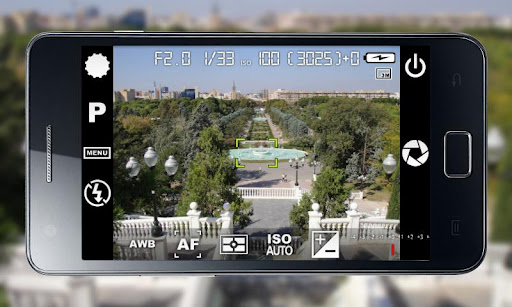
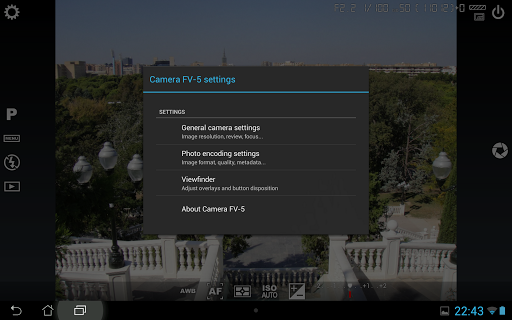
Camera FV-5 is a professional camera application for mobile devices, that puts DSLR-like manual controls in your fingertips !


Camera FV-5 play.google.com.camera.pro
Tailored to enthusiast and professional photographers, with this camera application you can capture the best raw photographs so that you can post-process them later and get stunning results. The only limit is your imagination and creativity!

Features :
  • All photographic parameters are adjustable and always at hand: exposure compensation, ISO, light metering mode, focus mode, white balance and program mode.
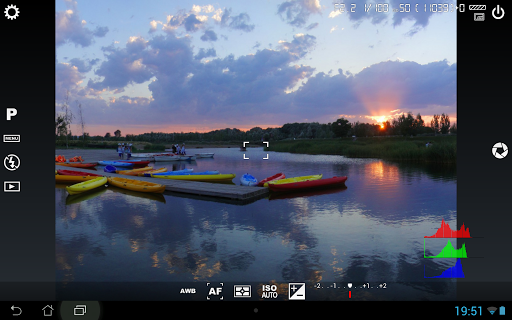
  • DSLR-like viewfinder display: see exposure time, aperture and stops display with EV and bracketing settings.
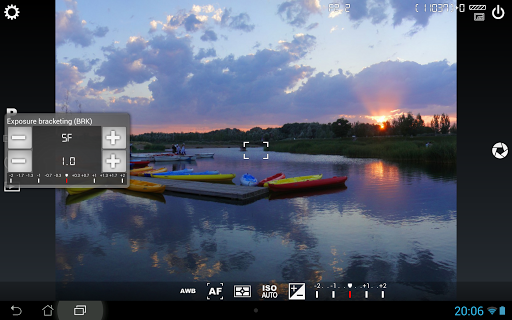
  • Full fledged exposure bracketing: from 3 to 7 frames, unlimited stops spacing, plus custom EV shifting.
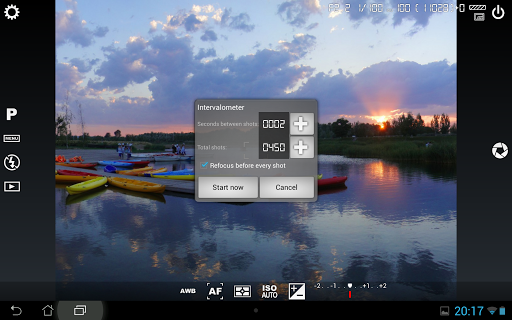
  • Built-in intervalometer: make stunning timelapses (even bracketed/HDR timelapses) and time-controlled picture series.
  • Program and Speed-priority modes.
  • Long exposure support: take beautiful night photos and light trails with long exposure times up to 60 seconds*.
  • JPEG as well as RAW (PNG) image formats for lossless photo capturing, perfect for post-processing.
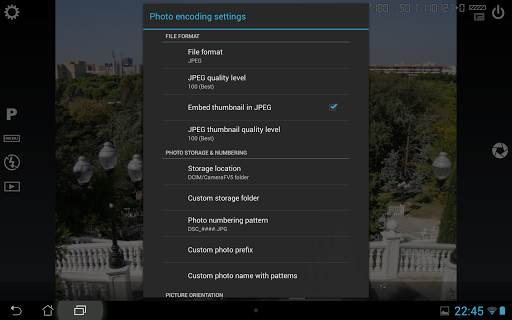
  • EXIF and XMP sidecar metadata support.
  • Self timer for delayed shooting.
  • Autofocus, macro, touch-to-focus** and infinity focus modes, plus a focus lock switch (AF-L).
  • In background photo developing and processing allows a smooth, uninterrupted camera operation.
This camera application completely avoids scene modes, instead you get full manual control over all photographic parameters, just like you do with a reflex camera, so you can ultimately control every aspect of the picture, and leave the post-processing to the computer. So after your DSLR, you will never miss a photo opportunity again, being able to capture it with the closer sensation to your DSLR as possible.

What's in this version: (Updated : Mar 27, 2014)
  • Fixed: different issues with the Samsung Galaxy S3.
  • Fixed: issues with shutter sound not being played when camera sounds were active.
    Required Android O/S : 2.2+

    Screenshots :


    Download : 2.8Mb APK
    Read more

    Monday, 29 July 2013

    Flash-Transfer Free download.


    What is Flash-Transfer?

    It is an app which provides a  file-sharing functionality to your smartphone using  Wi-Fi tethering. It can be used to easily connect to another android smartphone and then transfer apps, images or any other files you may want to. We all have to agree that it is indeed a clever way to transfer data faster, given the slow speed at which Bluetooth works. This doesn’t even use your data plan, just connects to the other device over Wi-Fi.

    Why Flash-Transfer?

    Though similar apps already exist in the market, what defines Flash Transfer is its unique style of sharing files, aptly termed as Swipe & Share. It was made popular by the Indian manufacturer Micromax in their Bolt seriessmartphones like Micromax Bolt A35 and Ninja A27. It allows swipe like gestures to share photos, that seems more like magic rather than a useful feature. As illustrated, the photos being swiped out simultaneously comes into view in the receiving device, which is really a fun thing to watch. There is also a shake and share feature.
    Its simple enough to configure and use, that once you open the Flash Transfer app on your phone or use theSwipe & Share option from the Gallery or File Manager, you can invite someone to share with. This invite appears in the form of a QR code which need to be scanned by the receiving party on their device to get connected. Once done, both phones can simply share any number files or apps that you want without any data charges.

    Downloads :

    Since this app is exclusively found in Micromax devices only, it is not available in Play Store. We have extracted this app from Micromax phones, you may download it from this link : Flash Transfer app.

     Installing Flash transfer :

    • Download the RAR file from the link.
    • Extract the APK from the RAR file using the password “droidbeans”.
    • Copy this APK file to your phone’s SD card.
    • Make sure that you have allowed for Installation from Unknown Sources in your device. If not, do so from your Settings->Applications submenu.
    • Open your phone’s File Manager and then open the APK file to install it normally.
    • Once the installation finishes, you will be able to see the Flash Transfer App in your app drawer and gallery sharing options.

    Start Sharing Files :

    • Open Flash Transfer App on both devices.
    • Find the option to Connect With Friends on the app homescreen.
    1
    • Click Create Connection in the sender’s device and click Scan to Join in the receiver’s device
    2
    • Sender’s device will be waiting for the Receiver to joins his/her connection.
    3
    • Now once the Sender has been identified, wait for the Receiver’s device to establish the connection.
    4
    • Upon successful connection, the app will show the name of both the Sender and Receiver on the top left corner of each device in the form of their AVATAR icons.
    5
    Slide option is valid for transferring only image files.Follow these steps to share an image by slide :
    • Go to the Image tab and long press the image that needs to be transferred.
    6
    • A ribbon menu will appear with 4 options. Select the  slide option to Share the Image. Note that the Sender can also share by choosing the Share option. But here we choose Slide.
    7
    • On Clicking the Slide option, that image will open up in the senders device.
    • Now start sliding the image from Left to Right. You will see that  the Image will also start to slide into the Receiver’s device.
    8
    • Complete the sliding gesture, and the transfer will be completed.

    Another option to share or transfer multiple files is shake. The steps to shake are as follows :
    • Select the required images or files in the Sender’s device and SHAKE the device.
    11
      Within a matter of seconds, the Images or files will be transferred to the Receiver’s device.

    Note the all your shared files and transfers will be listed under the History tab.
    12
    You may also view the app in action in this video link. The only drawback of this app is that both parties need to have the Flash Transfer app in their phones to share stuff. This is not a big deal as downloading the app is easy as scanning a QR code similar to the one used to connect. It will take you to the download page for the Flash Transfer app.
    That’s it! Feel free to drop in any queries regarding the app. Or if you have better ideas for file-sharing in Android, then please let us know in the comments section.   


                                                          credits-http://www.droidbeans.com/
    Read more

    Tuesday, 23 July 2013

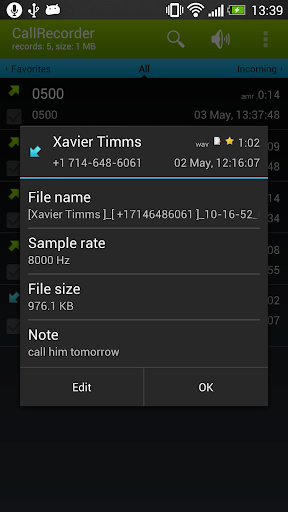
    Call Recorder (Full) v1.4.5 APK


    Call Recorder (Full) v1.4.5 APK


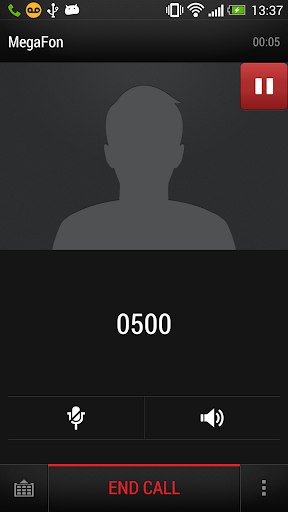
    This program records phone calls from the phone line on some phones !


    CallRecorder Full play.google.com.callrecorder
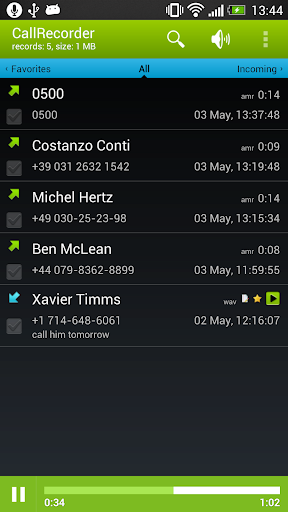
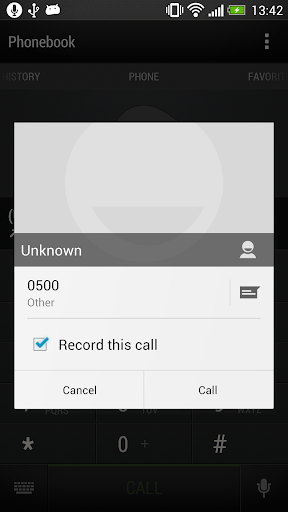
    This program records phone calls from the phone line on some phones. Such recording is not usually available out-of-the-box, it needs hardware support in your OS kernel and root access. If you have an HTC device, you're in clover if you've got a custom ROM. Otherwise, please visit the xda site, there're plenty.

    Basically any device is supported, provided that it's based on a Qualcomm chip, say, their Snapdragons, etc. If your device has no such support, the program still records phone calls, but you need to select Android API in preferences and the recording will most likely proceed from the mike, not from the line. Please feel free to make any comments or send suggestions.

    The list of supported devices
    • HTC Desire
    • HTC HD2
    • Google Nexus One
    • HTC Desire HD
    • HTC Desire Z
    • HTC Desire S
    • HTC Incredible S
    • HTC Thunderbolt
    • HTC Sensation
    • HTC EVO 3D (CDMA)
    • HTC Hero
    • HTC Wildfire
    • Acer Liquid mt
    • Dell Streak
    • ZTE Blade
    • HighScreen Cosmo
    • Acer Liquid
    • Sony Ericsson XPERIA ray
    • Sony Ericsson XPERIA arc
    • Samsung Galaxy S II X (SGH-T989)
    Requires the kernel with 2-way call recording patch and ROOT permissions

    Use standard API for recording (may record from the mic):
    • Samsung GT-I9100 Galaxy S II (Doesn't work on Android 4 ICS, Preferences: Audio source - voice uplink, and voice downlink when BT headset is connected(it will record only other side, but it's better then nothing)) 
    What's in this version: (Updated : Jul 23, 2013)
    • option to upload recording to Dropbox when you it to favorites
    • bug fixes
    Required Android O/S : 2.2+

    Screenshots :
     
     
    Download : 2Mb APK


    dont forget to like us on FACEBOOK


    Read more

    Thursday, 11 July 2013

    Sprinkle Islands v1.0.0 APK


    Titan burns again - Award winning, fire fighting, water-physics puzzler Sprinkle is back with an all new adventure!


       at google play below

    Sprinkle Islands play.google.com.sprinkle2
    In a not so distant future, a garbage hauling space ship from Earth has gone off course and burning trash is falling all over the beautiful islands of Titan. The innocent Titans' villages have been set on fire by burning trash and they need your help!

    Using intuitive touch controls you control a tiny firetruck to put out fires. But some of the fires are hard to reach - solve each puzzle with the flow of water by using obstacles, buttons, elevators, and more to save Titan. Your water supply is limited so conserve water to earn the most drops on each level!

    * Four distinct islands with a total of 48 levels provide hours of challenging entertainment.

    * Amazing water physics - The original Sprinkle set a new standard for water in mobile games. Sprinkle Islands improves on that with endless oceans, pools and floating objects.

    * Aquatic boss battles - New to Sprinkle Islands, players will find dramatic boss battles at the end of each island.

    * Revamped touch controls - Refined controls let players focus on the task at hand, solving brain-tingling puzzles with their water cannon's stream.

    The original Sprinkle has been enjoyed by more than eight million people. Join in on the fun in this new and improved version by using your smarts and your water cannon to solve puzzles and save Titan!

    Required Android O/S : 2.3+

    Screenshots :


    Download : 28Mb APK


    Read more
    Twitter Bird Gadget